网站首页 美食营养 游戏数码 手工爱好 生活家居 健康养生 运动户外 职场理财 情感交际 母婴教育 生活知识 生活百科 知识问答 更多知识

Microsoft Word has stopped working

时间:2026-04-24 09:08:33

1、软件版本: Microsoft Office Professional Plus 2013

Microsoft Word has stopped working

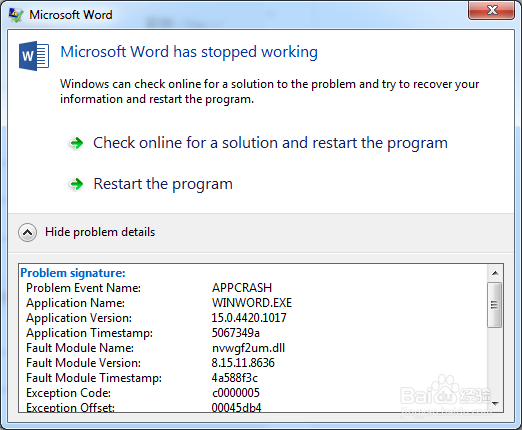
2、Microsoft Word 错误提示:“Microsoft Word has stopped working”.  问题描述:APPCRASH  nvwgf2um.dll ,如下图;
Microsoft Word has stopped working

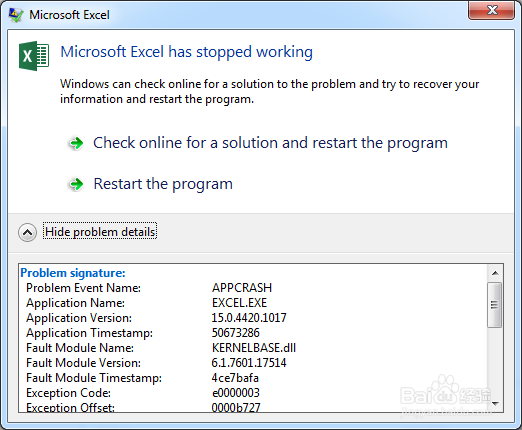
3、Microsoft Excel 错误提示:“Microsoft Excel has stopped working”.  问题描述:APPCRASH  KERNELBASE.dll ,如下图;
Microsoft Word has stopped working

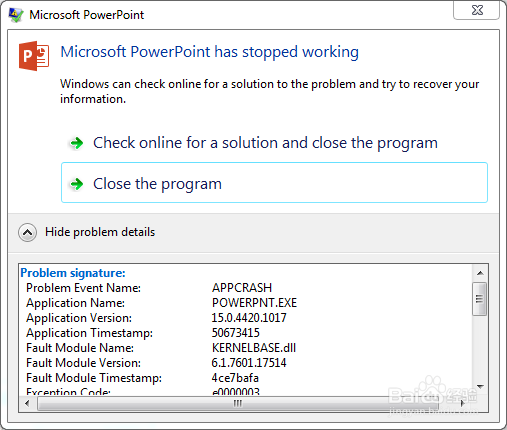
4、Microsoft PowerPoint 错误提示:“Microsoft PowerPoint has stopped working”.  问题描述:APPCRASH  KERNELBASE.dll ,如下图;
Microsoft Word has stopped working

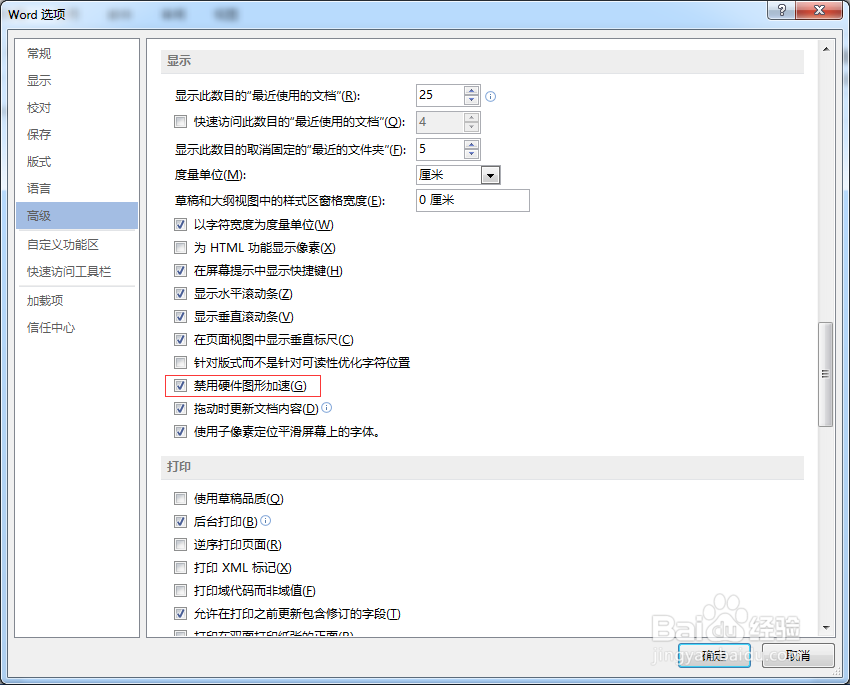
1、Microsoft Word >文件 > 选项 > 高级 > 显示 >勾选"禁用硬件图形加速" 。
Microsoft Word has stopped working

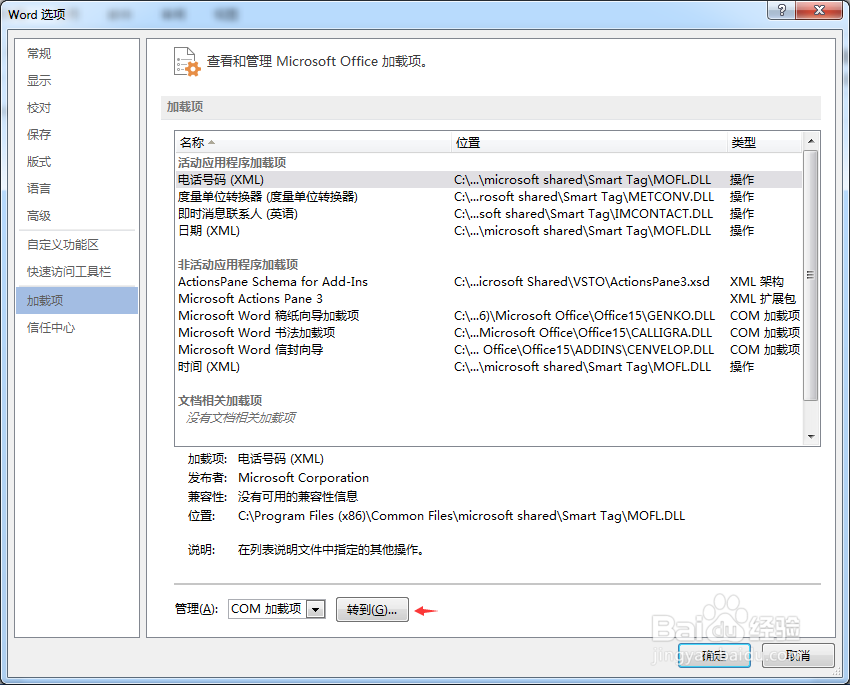
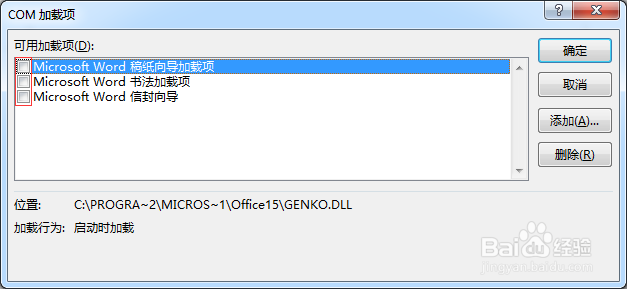
1、设置加载项

Microsoft Word has stopped working

Microsoft Word has stopped working

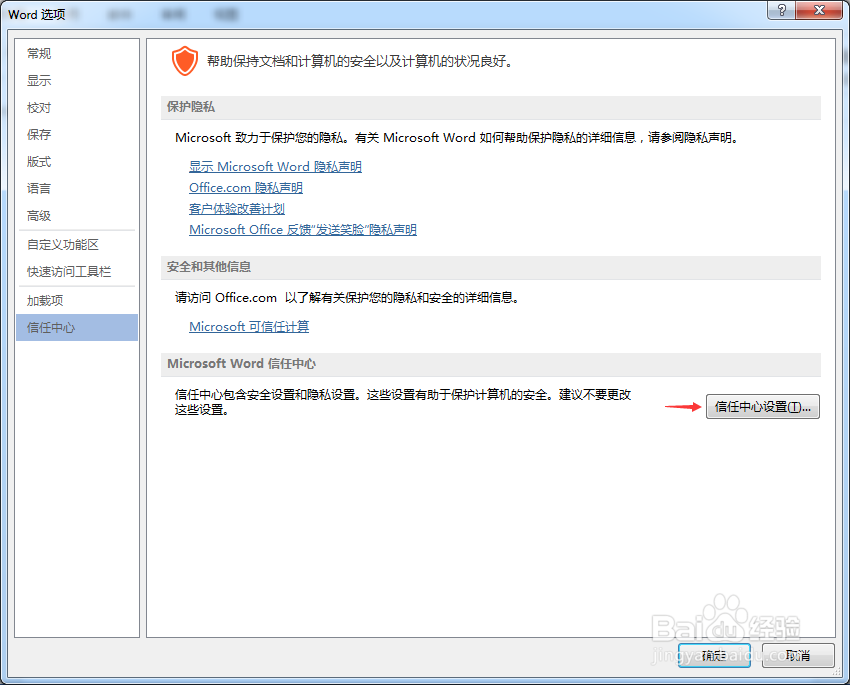
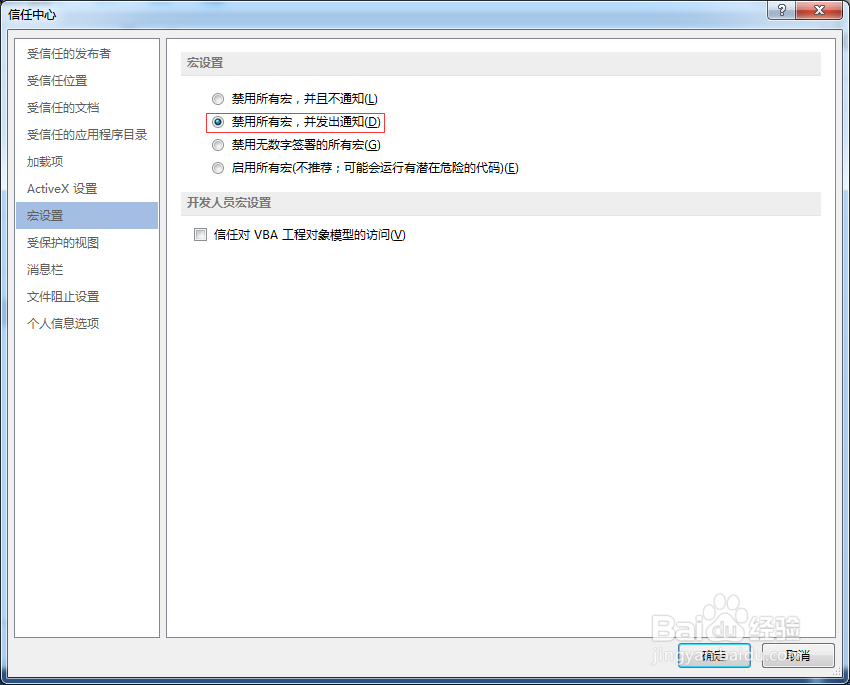
2、信任中心、宏设置

Microsoft Word has stopped working

Microsoft Word has stopped working

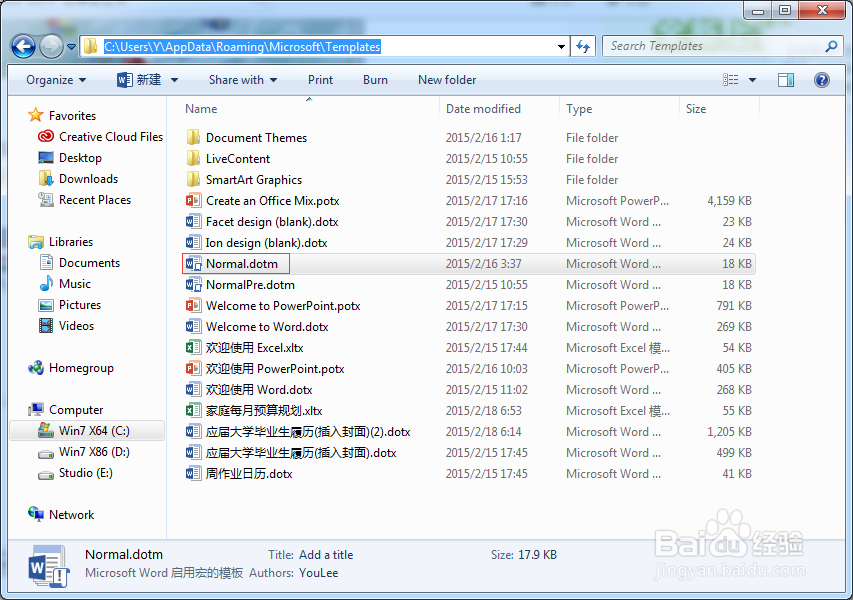
3、预设模版问题 Normal

Microsoft Word has stopped working

© 2026 智德知识库
信息来自网络 所有数据仅供参考
有疑问请联系站长 site.kefu@gmail.com