1、首先手机关机,然后拧下手机底部两颗螺丝

2、 2.用吸盘配合撬棍轻轻把手机打开
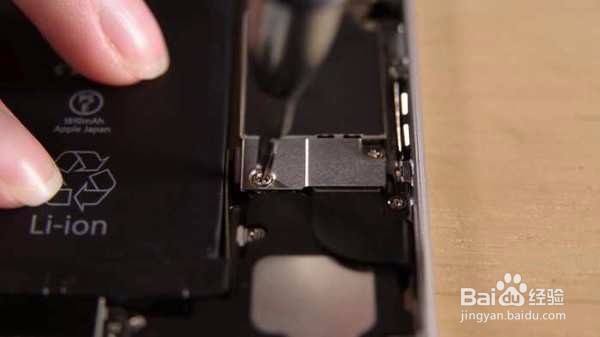
3、3.拧下手机电池接口金属保护盖上的两颗螺丝

4、 4.拿下金属保护盖
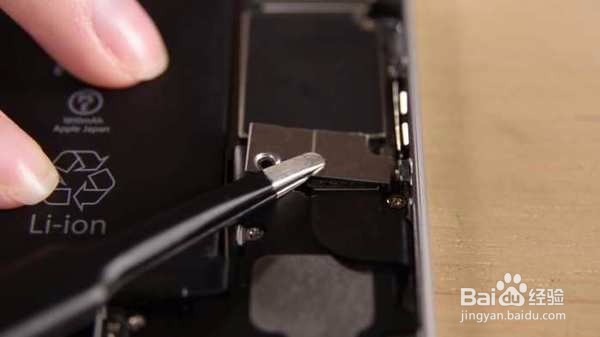
5、 5.断开电池接口

6、 6.用镊子把电池底部的两条胶带往上翻开
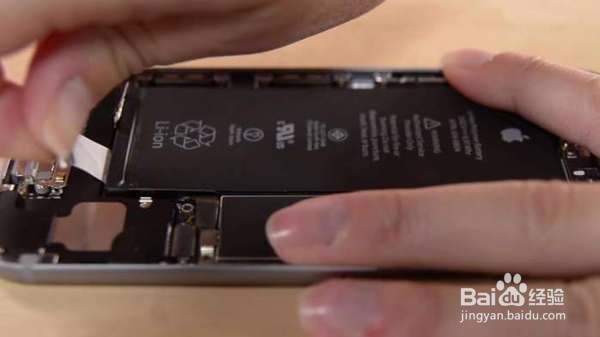
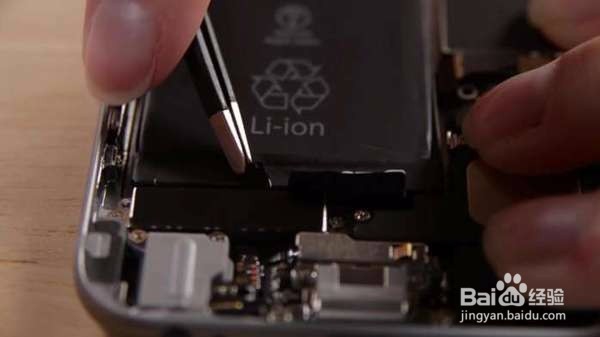
7、 7.用手把白色胶带往外拉,沿着电池边缘把白色胶带拉出来
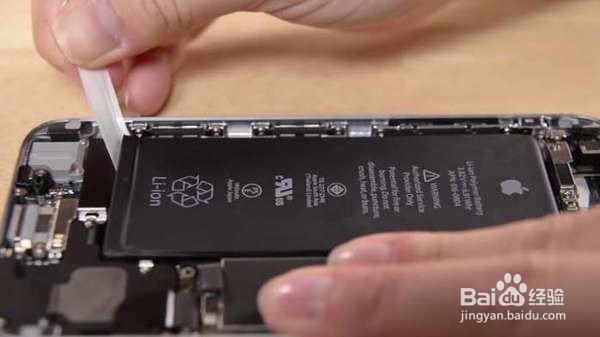

8、 8.两条胶带都拉出来后电池就可以很轻松的拿起来了,需要换电池的朋友只要把新电池装上去,然后按照反步骤把手机装回去就可以啦。

1、首先手机关机,然后拧下手机底部两颗螺丝
2、 2.用吸盘配合撬棍轻轻把手机打开
3、3.拧下手机电池接口金属保护盖上的两颗螺丝
4、 4.拿下金属保护盖
5、 5.断开电池接口
6、 6.用镊子把电池底部的两条胶带往上翻开
7、 7.用手把白色胶带往外拉,沿着电池边缘把白色胶带拉出来
8、 8.两条胶带都拉出来后电池就可以很轻松的拿起来了,需要换电池的朋友只要把新电池装上去,然后按照反步骤把手机装回去就可以啦。