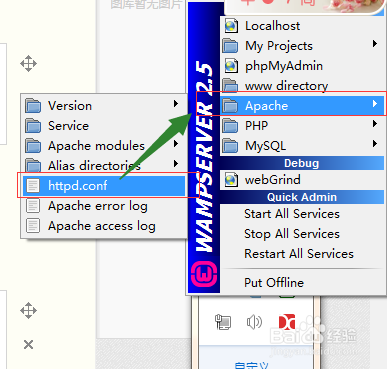
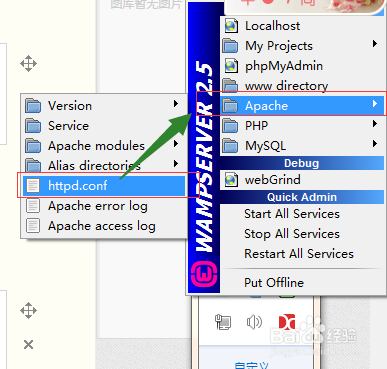
1、点击wampserver,选择Apache-》httpd.conf
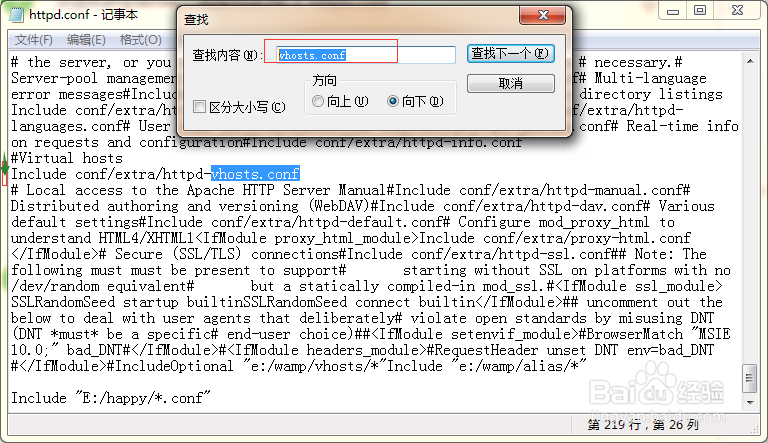
2、查找httpd-vhosts.conf,并去掉该行前面的#号
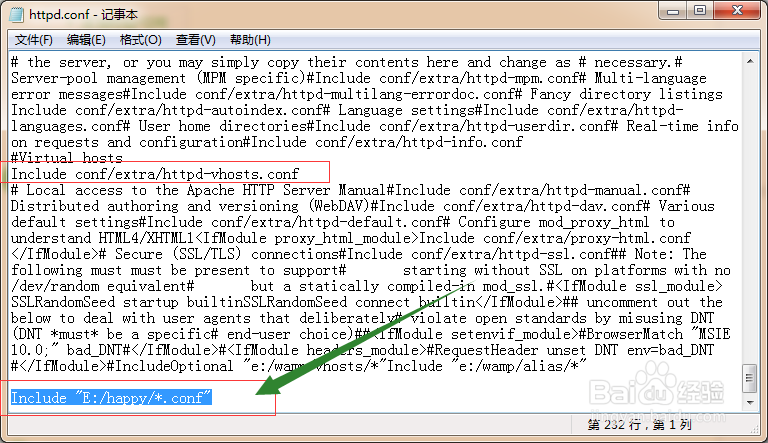
3、在文件最末尾,添加 Include "E:/happy/*.conf"(目录可以自己定义),保存,并关闭
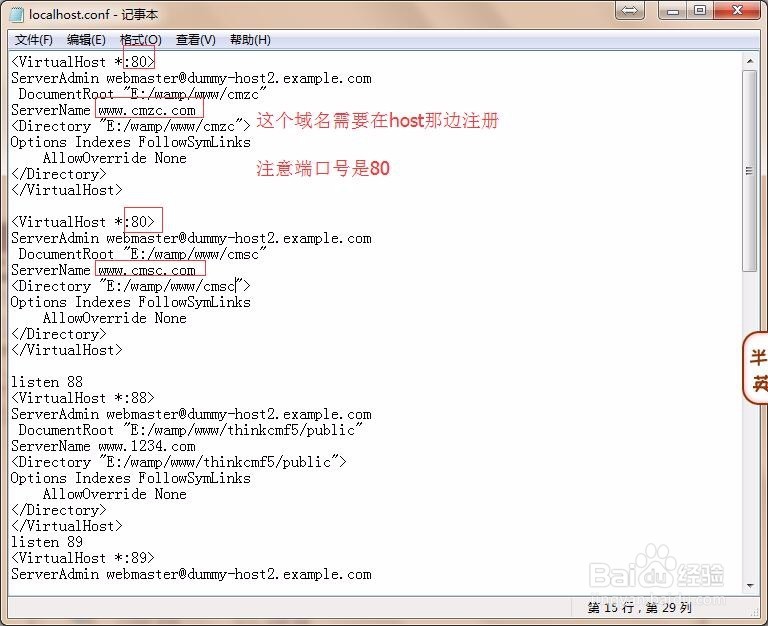
4、打开你添加引入配置文件的目录,新建后缀名为conf的文件
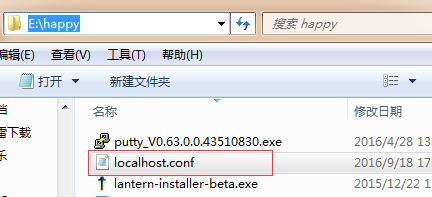
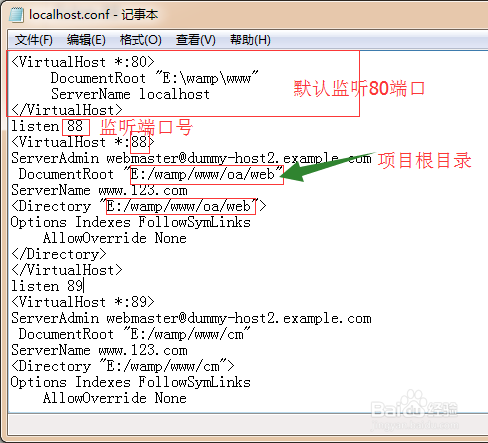
5、打开刚刚新建的文件,输入
<VirtualHost *:80>
DocumentRoot "E:\wamp\www"
ServerName localhost
</VirtualHost>
listen 88
<VirtualHost *:88>
ServerAdmin webmaster@dummy-host2.example.com
DocumentRoot "E:/wamp/www/oa/web"
ServerName www.123.com
<Directory "E:/wamp/www/oa/web">
Options Indexes FollowSymLinks
AllowOverride None
</Directory>
</VirtualHost>
加粗部分可重复利用,修改端口号及项目根目录即可
6、重启wampserver服务器成功后,打开浏览器,输入localhost:端口号,比如localhost:88

7、每天有个好心情,我的愿望是天天开心

1、如果是想多域名访问站点的话,第一步需要先将host域名解析
打开C:\Windows\System32\drivers\etc下面的host文件
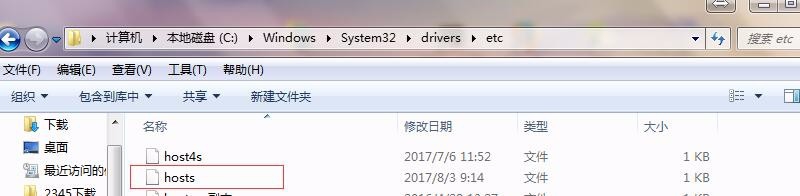
2、添加解析
127.0.0.1 localhost
127.0.0.1 www.cmzc.com127.0.0.1 其他域名
保存
127.0.0.1 www.cmzc.com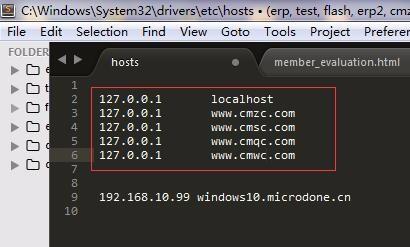
3、打开你前面添加引入配置文件的目录,打开那个后缀名为conf的文件
这个域名需要在host那边注册解析注意端口号是80
指定到对应的文件目录
<VirtualHost *:80>
ServerAdmin webmaster@dummy-host2.example.com
DocumentRoot "E:/wamp/www/cmzc"
ServerName www.cmzc.com
<Directory "E:/wamp/www/cmzc">
Options Indexes FollowSymLinks
AllowOverride None
</Directory>
</VirtualHost>
<VirtualHost *:80>
ServerAdmin webmaster@dummy-host2.example.com
DocumentRoot "E:/wamp/www/cmsc"
ServerName www.cmsc.com
<Directory "E:/wamp/www/cmsc">
Options Indexes FollowSymLinks
AllowOverride None
</Directory>
</VirtualHost>
保存,重启wampserver,就可以使用域名访问了