1、打开一个的wps文字的界面中
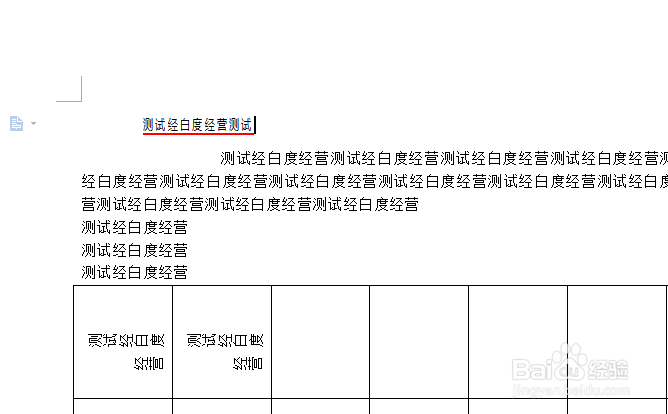
2、点击wps文字中要插入的位置
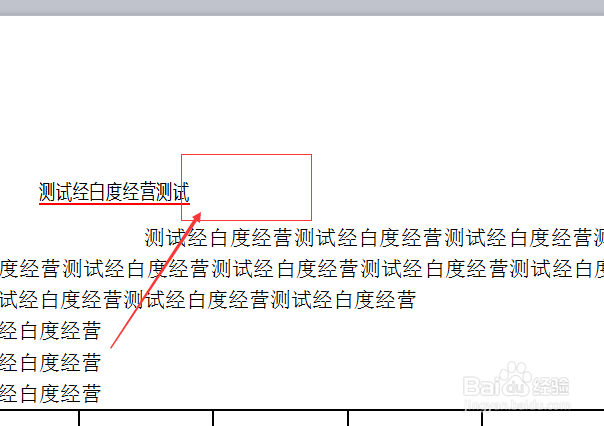
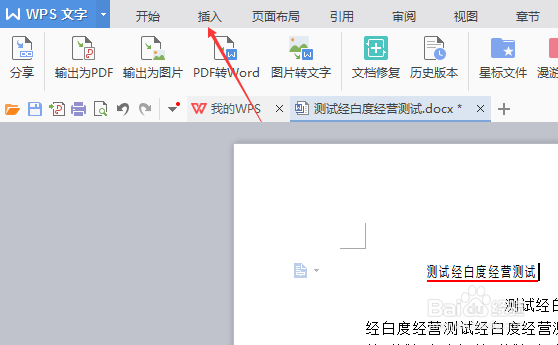
3、点击菜单中的 插入 菜单
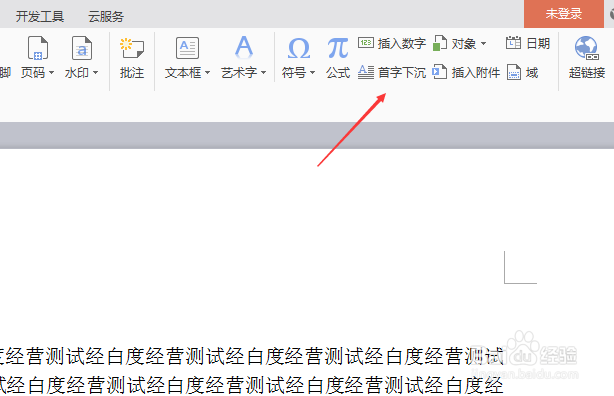
4、进入到了插入界面中,点击 首字下沉
5、进入到了首字下沉界面中,点击 悬挂 选项
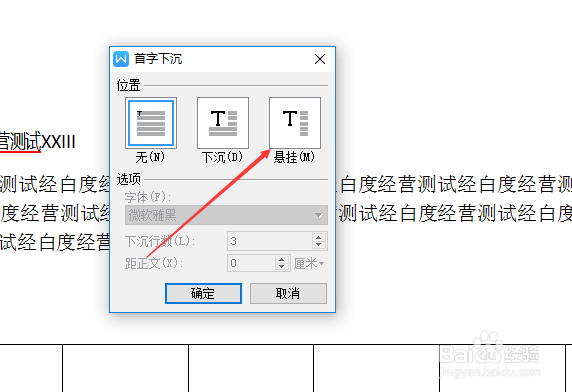
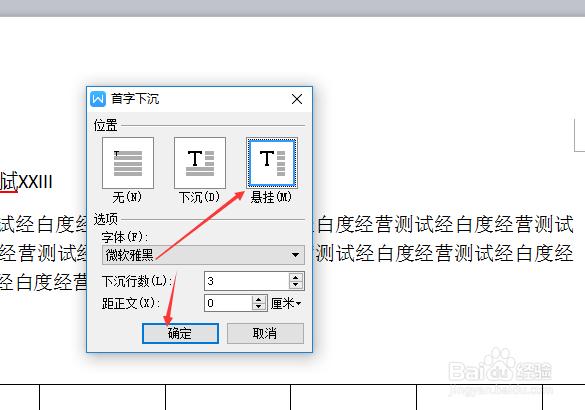
6、点击 悬挂 选项之后,点击 确定
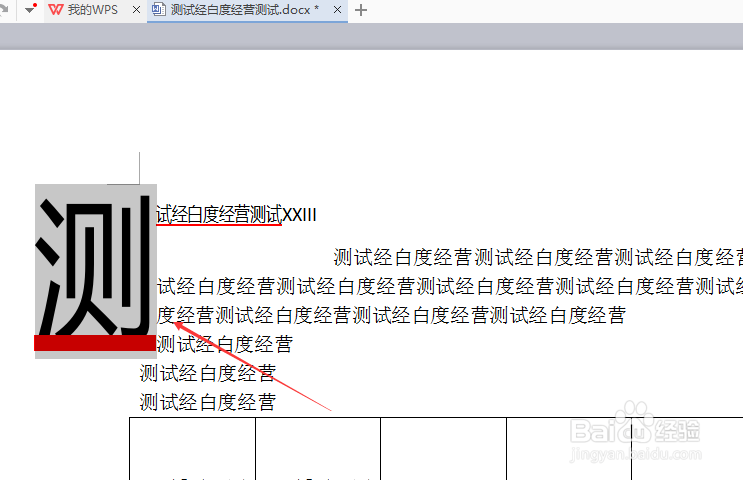
7、可以看到是在插入了一个首字下沉了
1、点击菜单中的 插入 菜单
点击 首字下沉
点击 悬挂 选项
点击 确定
1、打开一个的wps文字的界面中
2、点击wps文字中要插入的位置
3、点击菜单中的 插入 菜单
4、进入到了插入界面中,点击 首字下沉
5、进入到了首字下沉界面中,点击 悬挂 选项
6、点击 悬挂 选项之后,点击 确定
7、可以看到是在插入了一个首字下沉了
1、点击菜单中的 插入 菜单
点击 首字下沉
点击 悬挂 选项
点击 确定