1、方法一:
grep 'temporary password' /var/log/mysqld.log
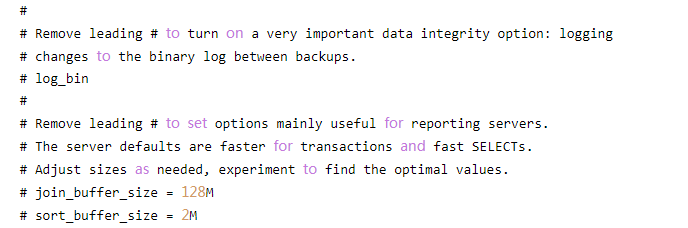
2、运行后会得到一个密码,这里我的centos7.4下没有反应,故尝试第二种方法
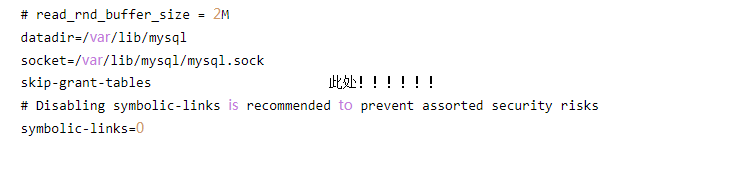
3、方法二:
该方法先修改mysql配置文件使其可以无密码登录,让后修改密码,之后便复原配置文件
修改/etc/my.cnf
vim /etc/my.cnf

4、配置文件添加skip-grant-tables
保存后重启mysql
systemctl restart mysql

5、即可免密登录,命令行输入mysql直接登录
选择mysql数据库,输入下列命令重置密码,'new-password'即为所设置密码
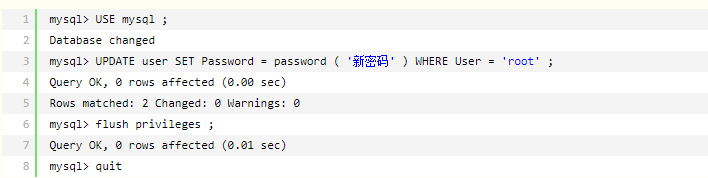
6、修改完成后输入exit退出,重新回到/etc/my.cnf该文件删除之前添加语句即可完成
