1、打开Windows Server 2016操作系统;

2、点击操作系统桌面左下角的开始按钮;

3、系统开始菜单自动打开;

4、找到并点击“Windows Ease of Access”文件夹;
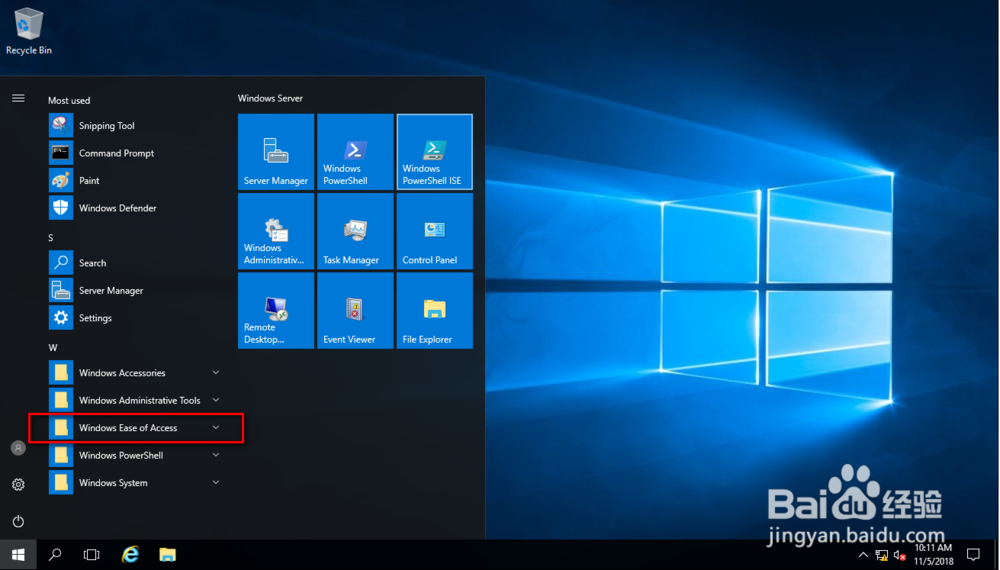
5、在“Windows Ease of Access”文件夹中点击On-Screen Keyboard;
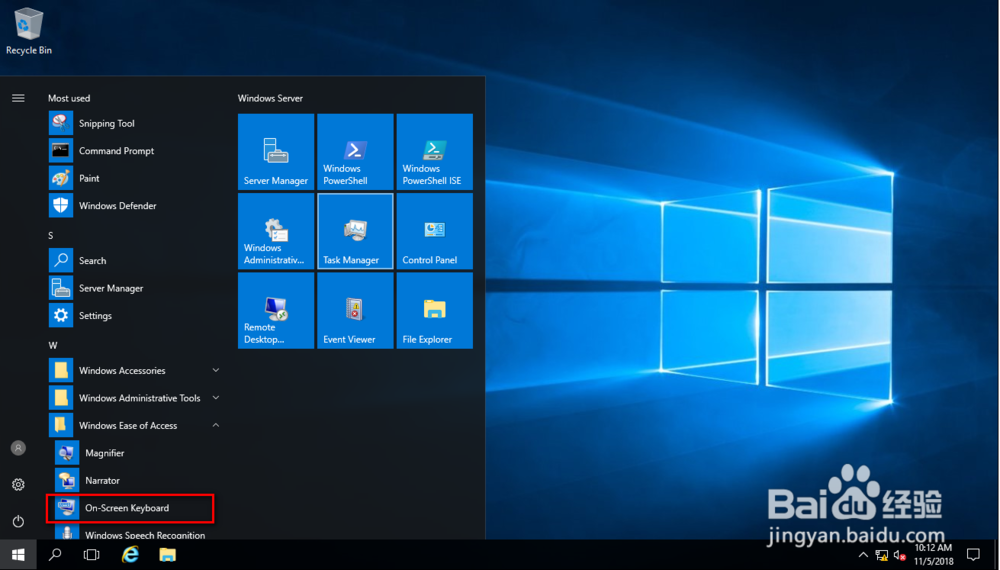
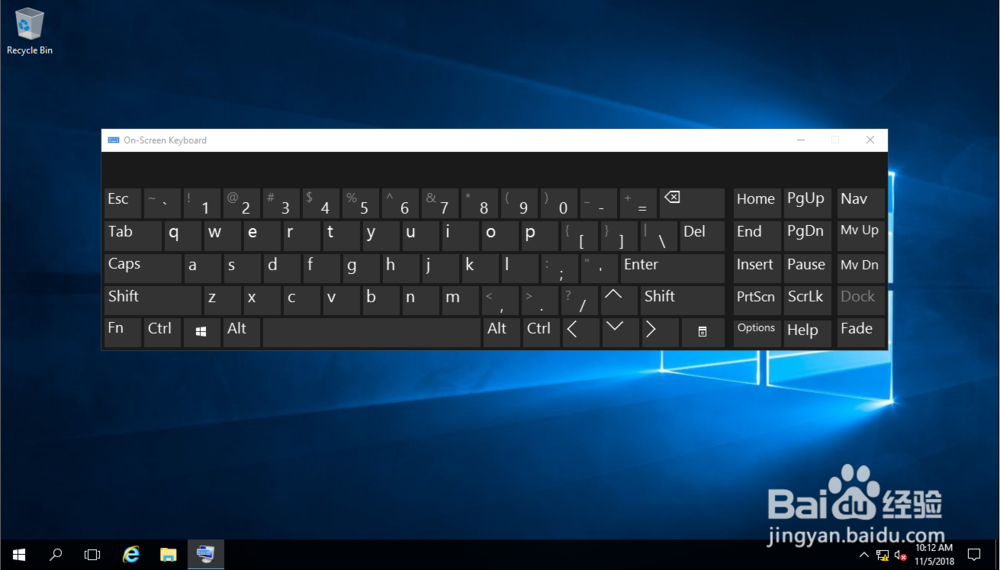
6、屏幕键盘自动打开,有点类似于Surface的屏幕键盘。
1、打开Windows Server 2016操作系统;
2、点击操作系统桌面左下角的开始按钮;
3、系统开始菜单自动打开;
4、找到并点击“Windows Ease of Access”文件夹;
5、在“Windows Ease of Access”文件夹中点击On-Screen Keyboard;
6、屏幕键盘自动打开,有点类似于Surface的屏幕键盘。