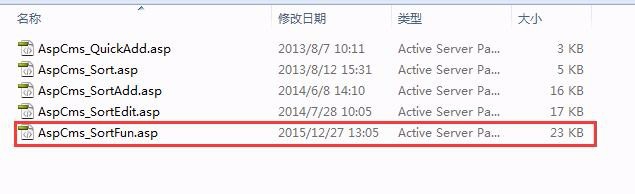
1、首先找到 \admin\_content\_Sort\AspCms_SortFun.asp 这个文件
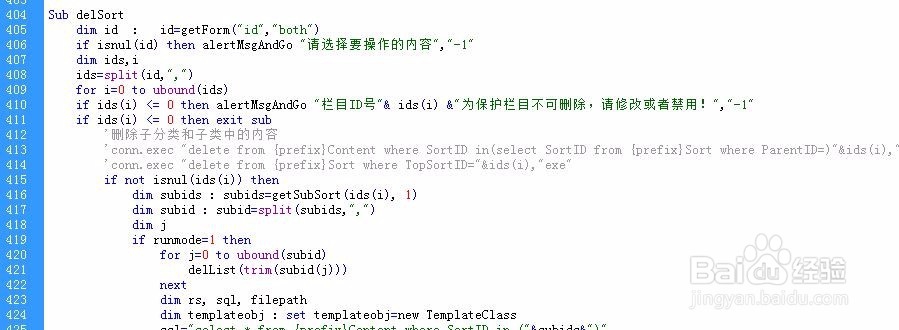
2、然后找到代码
if isnul(id) then alertMsgAndGo "请选择要操作的内容","-1" dim ids,i ids=split(id,",") for i=0 to ubound(ids) if ids(i) <= 20 then alertMsgAndGo "栏目ID号"& ids(i) &"为保护栏目不可删除,请修改或者禁用!","-1" if ids(i) <= 20 then exit sub
3、将
<=20 修改为1,或者-1即可,或者修改为0 这样默认的栏目就可以删除了,